
Quick answer
Updated September 2026Which 3D rendering Mac should you sell, keep or trade up to in the UAE?
Keep the Mac whose GPU cores and memory fit your heaviest scene and sell the one that has become the spare. A Mac Studio M3 Ultra holds a high figure, one step below the 2026 M5 Ultra, because few Macs match its 80-core GPU; a MacBook Pro M4 Max carries a large figure but steps down at each Max launch; a Mac Pro M2 Ultra is worth selling now unless you need its PCIe slots. SellYourMac.ae quotes all of them on WhatsApp, collects free anywhere in the UAE and pays the same day.
- Trade up by selling the old rendering Mac for cash and buying the new one anywhere.
- Mac Studio M3 Ultra: highest figure of these, firm; up to 512GB for large scenes.
- Mac Pro M2 Ultra: bought outright, but sell it before the next Mac Pro or Ultra launch.
- MacBook Pro M4 Max: strong figure, sell before the next Max keynote.
- GPU rendering does not wear Apple silicon; the desk grades chip, memory and condition.
- Written WhatsApp quote valid 1-5 days, free pickup in all 7 emirates, same-day payment.
Key facts
- Rendering Macs covered
- MacBook Pro 14 and 16 M4 Max, Mac Studio M4 Max and M3 Ultra, Mac Pro M2 Ultra (2023), Intel Mac Pro 2019
- GPU cores
- M4 Max up to 40, M2 Ultra up to 76, M3 Ultra up to 80
- Memory ceilings
- MacBook Pro 128GB, Mac Pro M2 Ultra 192GB, Mac Studio M3 Ultra 512GB
- Full-quote condition
- Boots, all ports working, no dents, original parts, Find My off; low cycles on a laptop
- Quote validity
- 1-5 days, written on WhatsApp
- Pickup
- Free, all 7 emirates, including the Mac Pro tower
- Payment
- Same-day UAE bank transfer or cash on collection
- Buyer
- SellYourMac.ae (Azizi Technologies), Dubai Media City, trading since 2013
This guide is for 3D artists, motion designers and product visualisers in the UAE who render in Blender, Cinema 4D, Octane, Redshift or Houdini on a Mac and are deciding which machine to keep, which to sell, and what to trade up to. By the end you will know how SellYourMac.ae quotes each rendering Mac, which one holds its figure, and how to fund the next one by selling the current one for cash.
The rendering line-up is three machines: the 14 and 16-inch MacBook Pro M4 Max for work on the move, the Mac Studio M4 Max and M3 Ultra for the desk, and the Mac Pro, still on the M2 Ultra, for studios that need PCIe slots. As scenes grow, artists move up that ladder, and the desk sees the Mac they leave behind.
Which rendering Mac holds its value longest?
The Mac Studio M3 Ultra, then the Mac Studio M4 Max, then the MacBook Pro M4 Max, then the Mac Pro M2 Ultra. The M3 Ultra holds because it has no successor and its 80 GPU cores and up to 512GB of memory are exactly what large scenes need. The M4 Max desktops and laptops hold well but step down at each Max launch. The Mac Pro M2 Ultra is bought outright and still quotes high for its memory and slots, but it sits on an older chip than the Mac Studio and its figure moves down with each Ultra and Mac Pro announcement.
Memory tier sets the figure within each model. A 128GB M4 Max or a 256GB M3 Ultra quotes well above the base tier because scene size is memory-bound and the next owner cannot add it.
| Mac | GPU cores | Memory ceiling | Suits | Quote band | Holds value |
|---|---|---|---|---|---|
| MacBook Pro 14 or 16 M4 Max | Up to 40 | 128GB | Look-dev, product viz on the move | Upper | Steps down at each Max launch |
| Mac Studio M4 Max | Up to 40 | 128GB | Motion design, mid-size scenes | Upper | Steps down at next Max launch |
| Mac Studio M3 Ultra | Up to 80 | 512GB | Large environments, Houdini, ML denoising | Highest | Firmest: no M4 Ultra |
| Mac Pro M2 Ultra | Up to 76 | 192GB | Studios needing PCIe cards | Upper | Sell before the next Ultra or Mac Pro |
| Intel Mac Pro 2019 | Radeon Pro cards | Up to 1.5TB | Legacy pipelines | Adjusted | Sell now |
Should you sell a Mac Pro M2 Ultra for a Mac Studio?
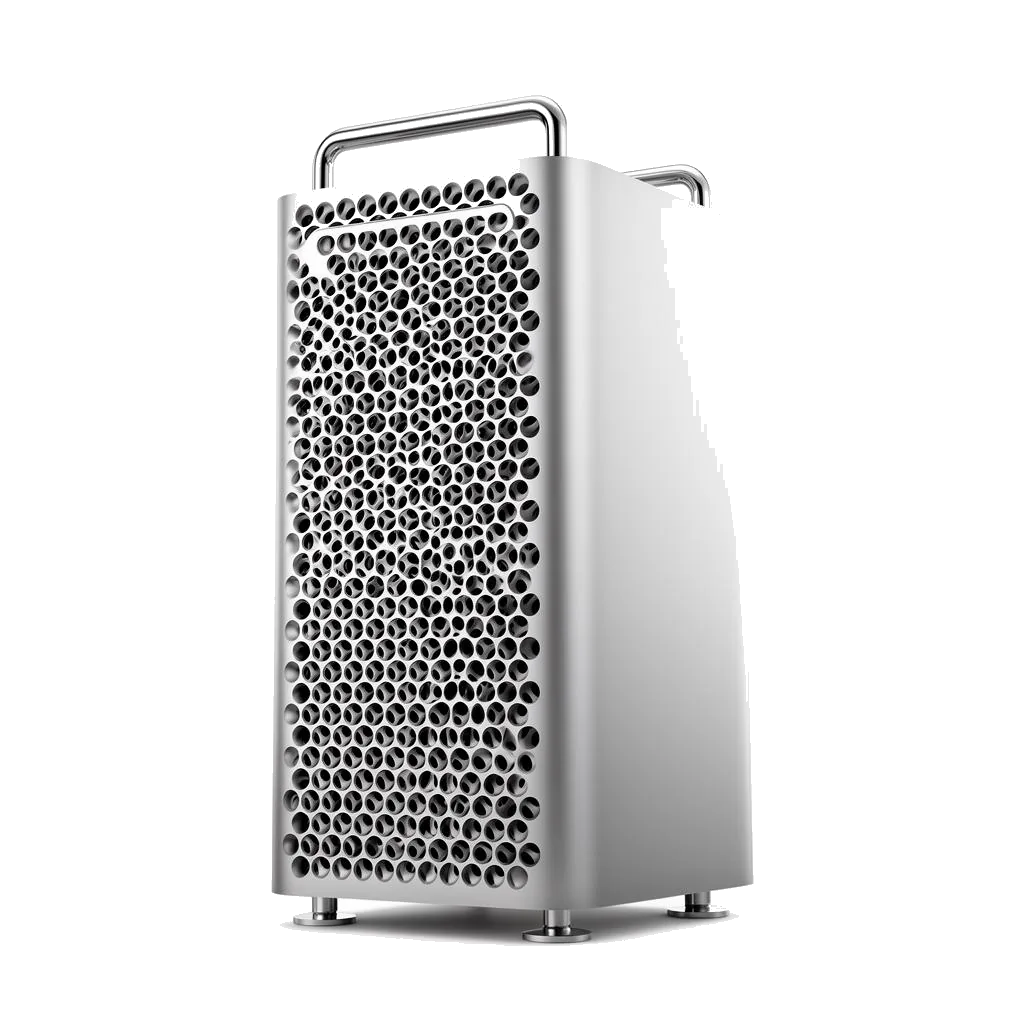
Yes, unless your pipeline uses the PCIe slots for capture cards, audio interfaces or fibre networking. A Mac Studio M3 Ultra offers more GPU cores and more memory than the Mac Pro M2 Ultra in a fraction of the space, so a Mac Pro that renders without cards is carrying a large figure for a chassis you do not need. Sell it now and put the cash toward a Studio: Apple no longer sells the Mac Pro, and the M2 Ultra tower was its last model.
SellYourMac.ae collects the Mac Pro tower free anywhere in the 7 emirates and quotes it on chip, memory, storage and any Apple-supplied cards. Third-party PCIe cards should be removed and kept or sold separately.
- No PCIe cards in use: sell the Mac Pro, buy a Mac Studio M3 Ultra
- Cards in daily use: keep the Mac Pro, sell any spare Studio or laptop
- Remove third-party cards before pickup; keep or sell them yourself
- Intel Mac Pro 2019: bought at an adjusted figure, sell now
If you own a MacBook Pro M4 Max and a Mac Studio, which should you sell?
The one that is not rendering your heaviest scene. If final renders run overnight on the Studio and the MacBook Pro only handles look-dev at client meetings, the laptop is the spare with the sharper step-downs: sell it and travel with a MacBook Air. If you render on location and the Studio waits at home, sell the Studio. If both render, keep both and sell the older of any third machine.
Send each configuration through the quote form; the desk writes separate quotes and the gap between them shows what the Studio's extra cores are worth in cash.
| Your pipeline | Keep | Sell |
|---|---|---|
| Overnight renders at one desk, meetings on the laptop | Mac Studio | MacBook Pro M4 Max |
| On-site visualisation, renders on the road | MacBook Pro M4 Max | Mac Studio |
| Houdini sims, scenes above 128GB | Mac Studio M3 Ultra | MacBook Pro, Mac Studio M4 Max |
| Mac Pro without PCIe cards | New Mac Studio | Mac Pro M2 Ultra |
| Moving to a render farm or GPU rig | Nothing | All Macs, one pickup |
Does years of GPU rendering lower a Mac's quote?
No. Apple silicon has no wear item that rendering touches, and the desk grades a rendering Mac on chip, memory, storage and condition, not on hours under load. A Mac Studio that has rendered every night for two years is quoted the same as one that sat idle, provided both are clean and boot.
What rendering does bring is heat and dust. Check the vents and ports for dust and mention in the quote form if a fan has become loud; a noisy fan is graded as a fault line, not a reason to decline. On a MacBook Pro the battery cycle count rises when the laptop renders on battery, and a high count takes a written adjustment.
How do you trade up a rendering Mac without store credit?
Sell the old Mac for cash to SellYourMac.ae, buy the next one anywhere, migrate, then hand over. The written quote holds 1-5 days, which covers ordering a Mac Studio, moving scenes and asset libraries with Migration Assistant over Thunderbolt, reactivating Octane, Redshift or Cinema 4D licences on the new machine, and test-rendering a scene. Only then erase the old Mac and book the pickup.
Cash matters here because rendering Macs are usually custom memory tiers that one store does not stock. Selling separately lets the new Mac's memory be chosen for your scenes rather than for what is on the shelf. External SSDs and asset drives move with you; the desk does not buy them.
- Quote first on WhatsApp; it holds 1-5 days
- Buy the memory tier your scenes need, anywhere
- Migrate, reactivate render licences, test one render
- Erase the old Mac and book the free pickup
How do you sell a rendering Mac from home?
Five steps, usually one day once the new Mac renders. Deactivate render licences, migrate, then erase before the courier arrives; a Mac Pro tower is packed and carried by the courier.
Send the configuration in the quote form
Send the model, chip, GPU core count, memory, storage, condition and your emirate in the SellYourMac.ae quote form. List any Apple PCIe cards in a Mac Pro.
Receive the written AED quote
A figure in the thread with memory, storage and condition adjustments shown. It holds for 1-5 days with no obligation.
Migrate and deactivate
Move scenes and libraries with Migration Assistant over Thunderbolt, deactivate Octane, Redshift, Cinema 4D and plug-in licences, then run Erase All Content and Settings under System Settings, General, Transfer or Reset.
Book a free pickup window
Any address in Dubai, Abu Dhabi, Sharjah, Ajman, Ras Al Khaimah, Fujairah or Umm Al Quwain, at no charge; the courier brings packing for a Mac Studio or Mac Pro.
Verification and same-day payment
A courier with company ID checks the serial, chip, memory, storage, ports and fans against the quote while you watch, then pays by UAE bank transfer the same day or cash on collection.